Back to portfolio

Production tools · 3D to 2D

SpriteBaker

An editor for turning 3D models, animations and scenes into directional sprites for a 2D production pipeline.

Producing sprites from 3D requires consistent poses, cameras, lighting and framing. SpriteBaker brings these choices into a composition, inspection and baking workflow: PNGs carry the appearance, while JSON describes precisely how each frame should be used.

The original idea was to run SpriteBaker in the browser, which drove the choice of WebGL2 and Three.js. I later moved the project to desktop because of browser limitations. Today, the React/TypeScript editor and Three.js/WebGL2 renderer are integrated with a Windows host built in C#/.NET with WebView2. Assets are processed locally, and capture rules remain independent of the interface and native capabilities.

Rendering uses WebGL2, with Three.js organizing the scene and GLSL shaders running styles and image passes on the GPU. The viewport, Sprite Preview and capture share appearance strategies, keeping inspection aligned with the exported result.

  • TypeScript
  • React
  • Three.js
  • WebGL2
  • C# / .NET
  • WebView2
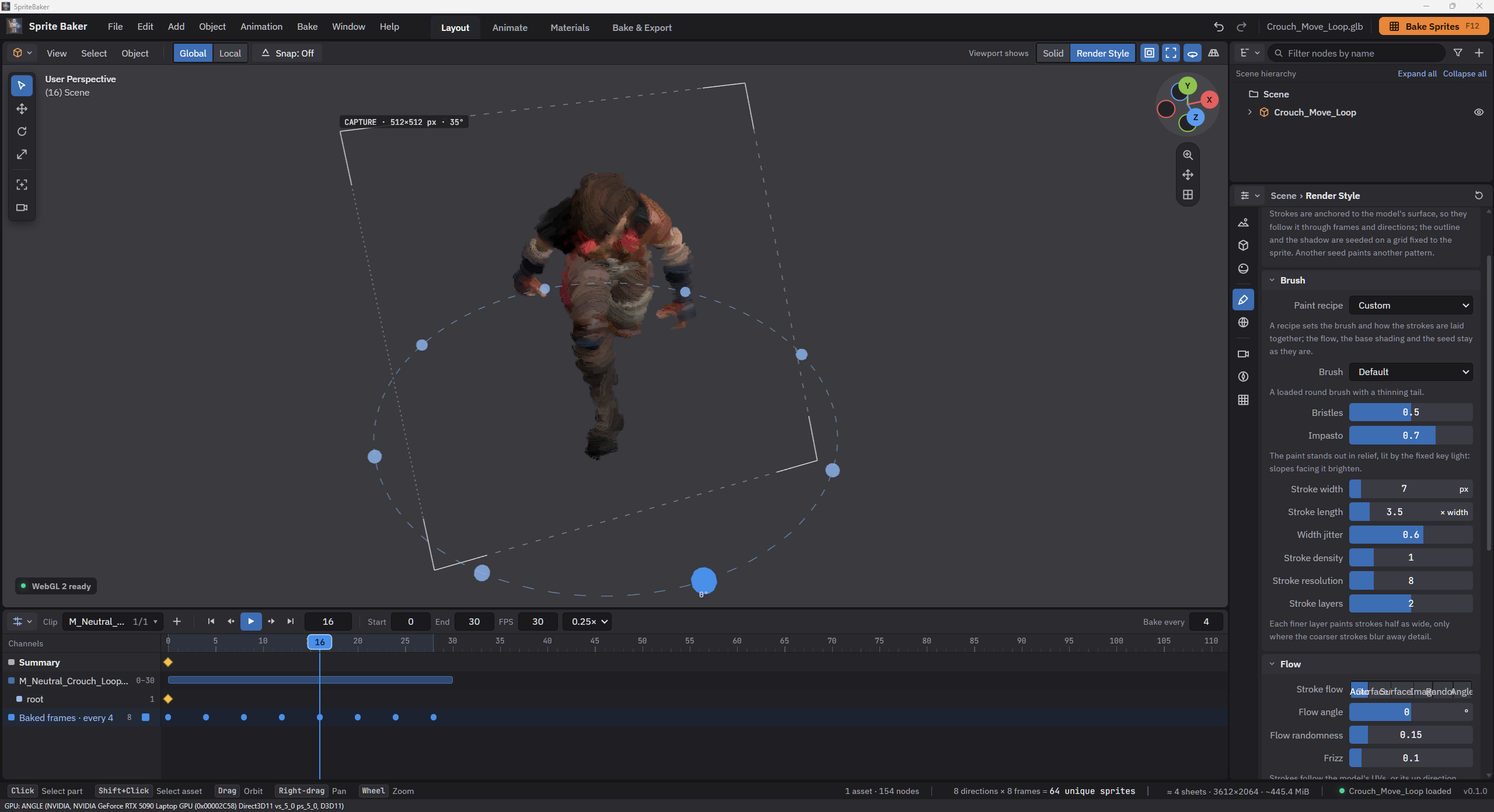
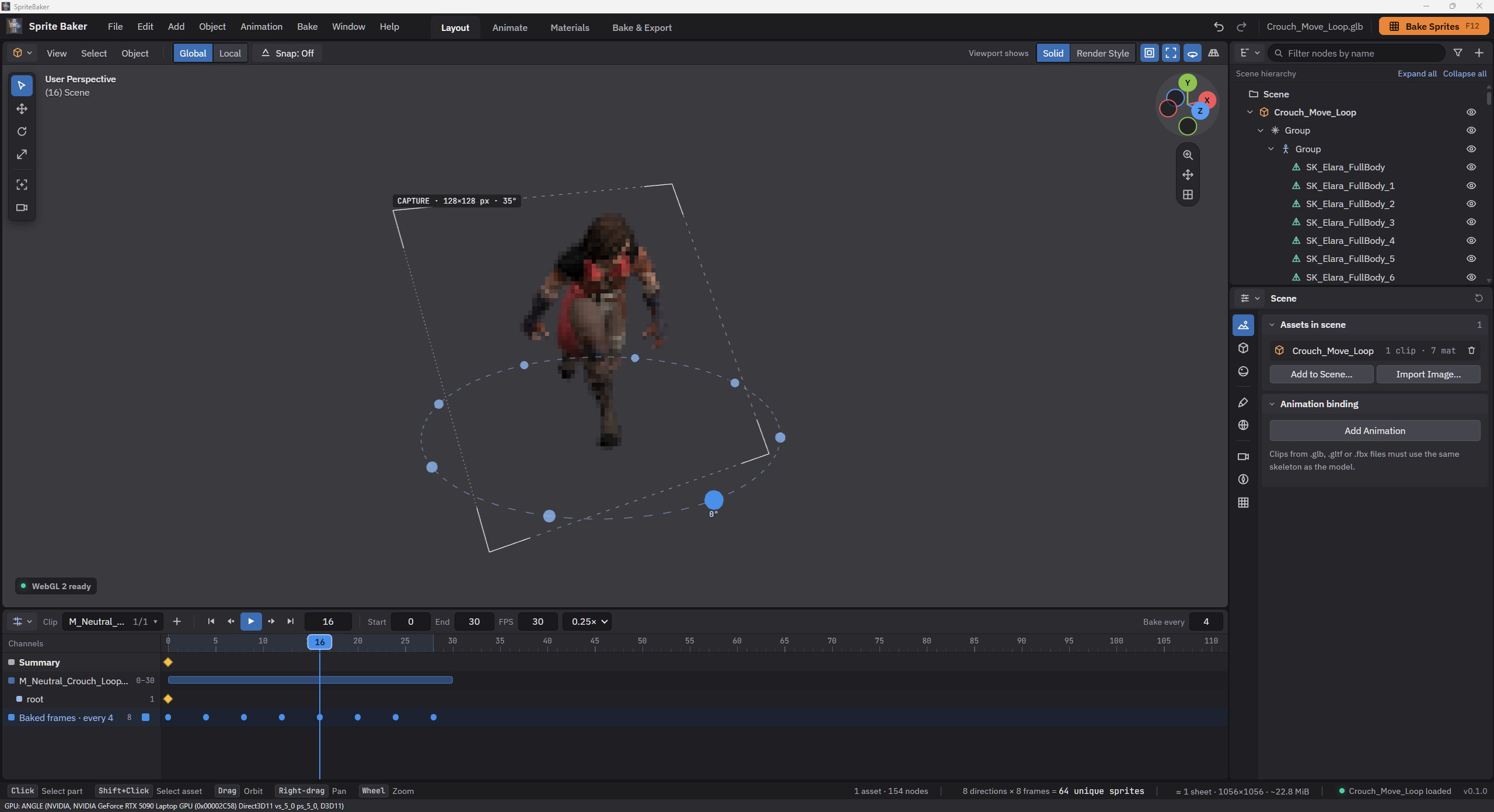
Character in the viewport with capture guides and a direction ring, model hierarchy in the Outliner, scene properties and Timeline with bake frames.

Overview

One scene, one capture plan, verifiable outputs

Work begins with a GLB, glTF or FBX model, its materials and clips. A scene can combine characters, equipment and props, follow a bone and add transform keys. PNG/JPEG images can also receive styles, outlines and backgrounds through a single-frame capture.

Layout, Animate, Materials and Bake & Export organize the creation process. The viewport supports exploration; Sprite Preview shows the capture camera and pipeline. Before generation, the tool calculates sprites, pages and the memory budget. Six frames across eight directions represent 48 unique sprites, even when each appears in several outputs.

  1. Compose and prepare

    Import local assets and adjust relationships, materials and transforms while preserving source files.

  2. Select and inspect

    Choose clips, frames, directions and a style; check framing and the sprite that will be captured.

  3. Capture and deliver

    Run the plan and export PNG sheets, JSON metadata, a ZIP or files to a local folder.

01 · Code boundaries

Separate responsibilities for domain, GPU and interface

The Frontend monorepo contains three packages: core, renderer and web. Core calculates sampling, directions, layout, budgets and metadata without React, Three.js, DOM or networking. Renderer owns loaders, pose evaluation, the camera and WebGL2 resources. The application organizes interaction, selections and jobs.

Dependencies follow web → renderer → core, with direct access from web to core. Public entrypoints keep packages from depending on each other's internal files. Composition and small interfaces support Strategy for styles, Factory for loaders and a capture facade, without a central class responsible for the entire scene.

LayerResponsibilityDecision
core · TypeScriptFrames, angles, CapturePlan, sheets and JSONDomain rules independent of the GPU
renderer · Three.js / WebGL2Import, pose, materials and pixelsExplicit resource lifecycle
web · ReactWorkspaces, state and orchestrationScene/GPU outside React rendering
Desktop · C# / WPFWebView2, files and optimizationDesktopHost port and versioned messages
API · ASP.NET CoreService foundation and health checksIndependent of the editor and bake

02 · DCC editor

Four workspaces for a continuous workflow

Each workspace arranges areas with their own editor and header. Layout combines the viewport, Timeline, Outliner and Properties. Animate adds clips, Sprite Preview and a Dope Sheet. Materials brings texture libraries, slots and previews together. Bake & Export places sprite inspection alongside the Sheet Viewer and output properties.

Areas resize with pointer or keyboard. Menus, focus and numeric fields follow accessibility contracts; keys communicate state through both shape and color. Valid edits apply immediately, and one drag gesture becomes one undo step. Switching workspaces reuses renderers instead of recreating WebGL contexts.

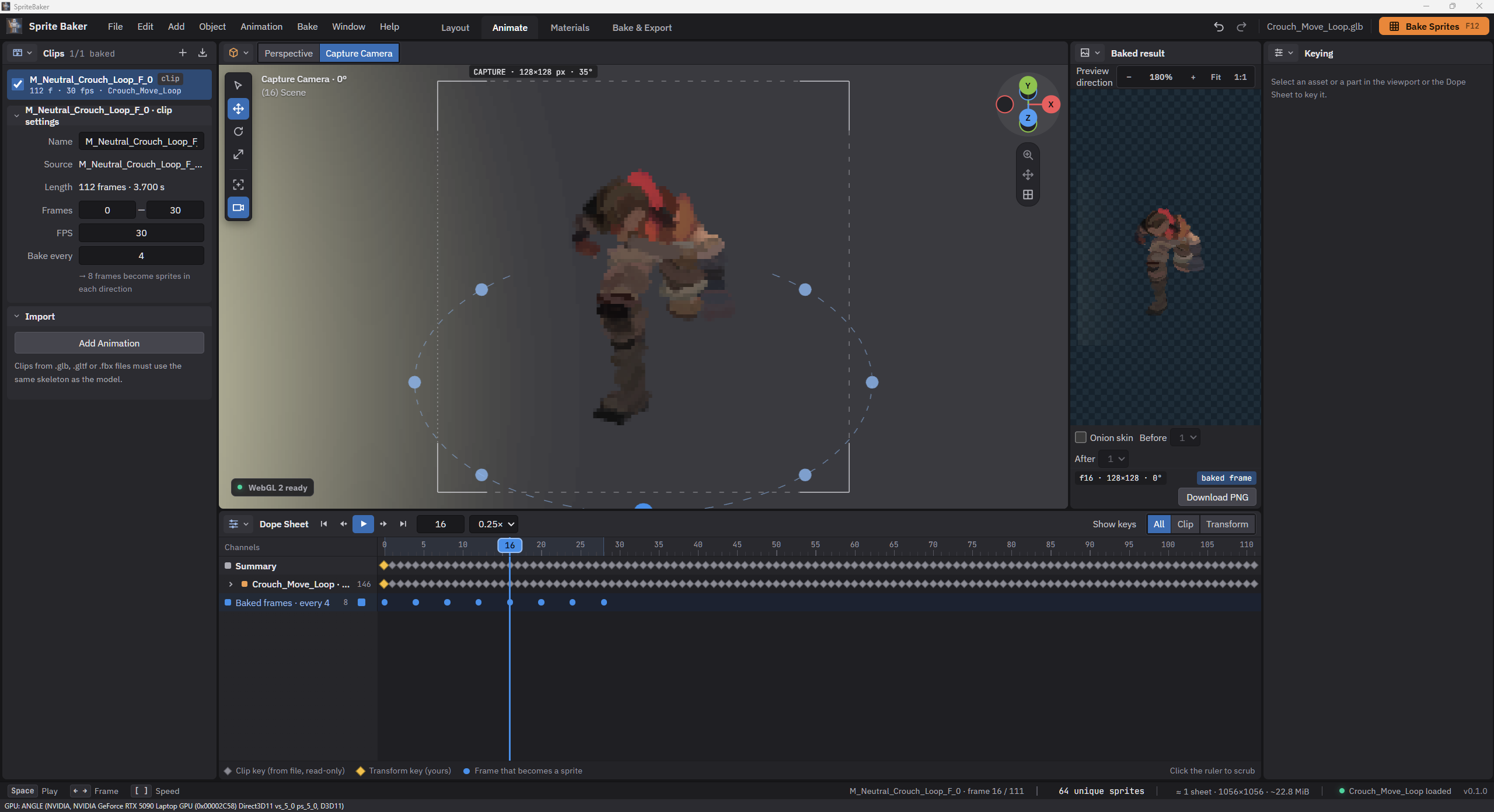
Animation clip in the Dope Sheet, with eight bake frames sampled every four frames and the pose at the playhead shown alongside.

03 · Composition and time

Related assets, synchronized animation

Each asset retains its resources and clips, with a wrapper for transforms and optional attachment to a node of another asset. A weapon can follow a character's hand while another prop plays its own clip at the same absolute time. Transform keys for assets and parts are distinct from frames selected for export.

Sampling uses a global FPS and absolute times: a one-second clip at 30 FPS has samples 0 through 29, without duplicating the loop endpoint. Playback speed affects inspection only. External clips require resolvable tracks and skeleton compatibility; retargeting remains a planned extension.

04 · Output contract

Plan before rendering

The immutable CapturePlan freezes normalized settings, samples, directions, framing, cells and estimates for the job. Logical order is animation, frame and angle; on sheets, each direction begins a row with its frames running left to right. Combined and Separate outputs share captures where possible.

Outputs can include the composition and individual asset sheets. Whole shows the entire asset; Cut out preserves occlusion from other objects. All use compatible rectangles and cameras. Versioned JSON records time, duration, direction, pivot and placements; files, actual PNG dimensions, references and overlaps are checked before downloads become available.

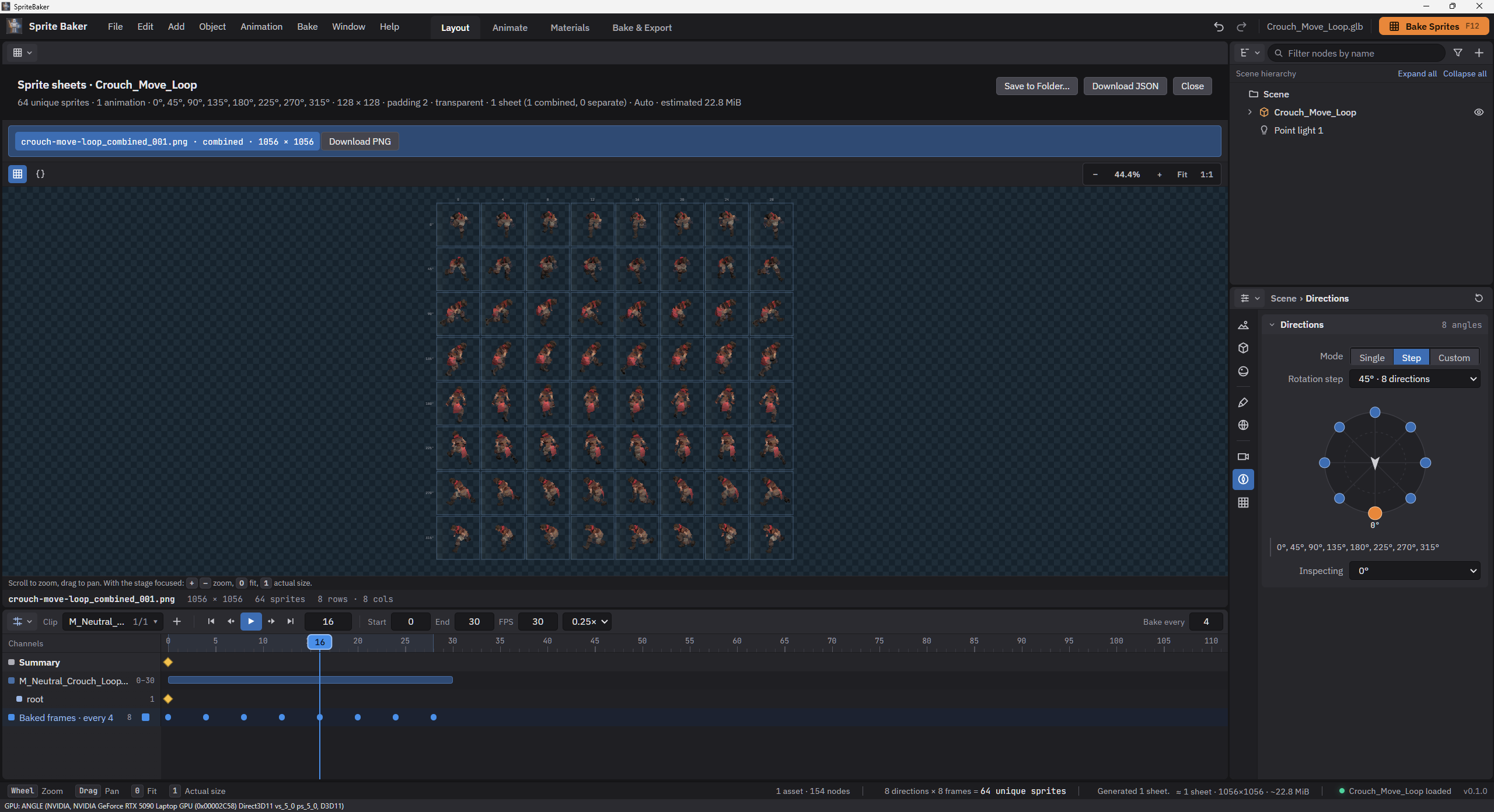
Bake result in the Sheet Viewer: eight frames across eight directions, totaling 64 sprites, with a grid and PNG and JSON export controls.
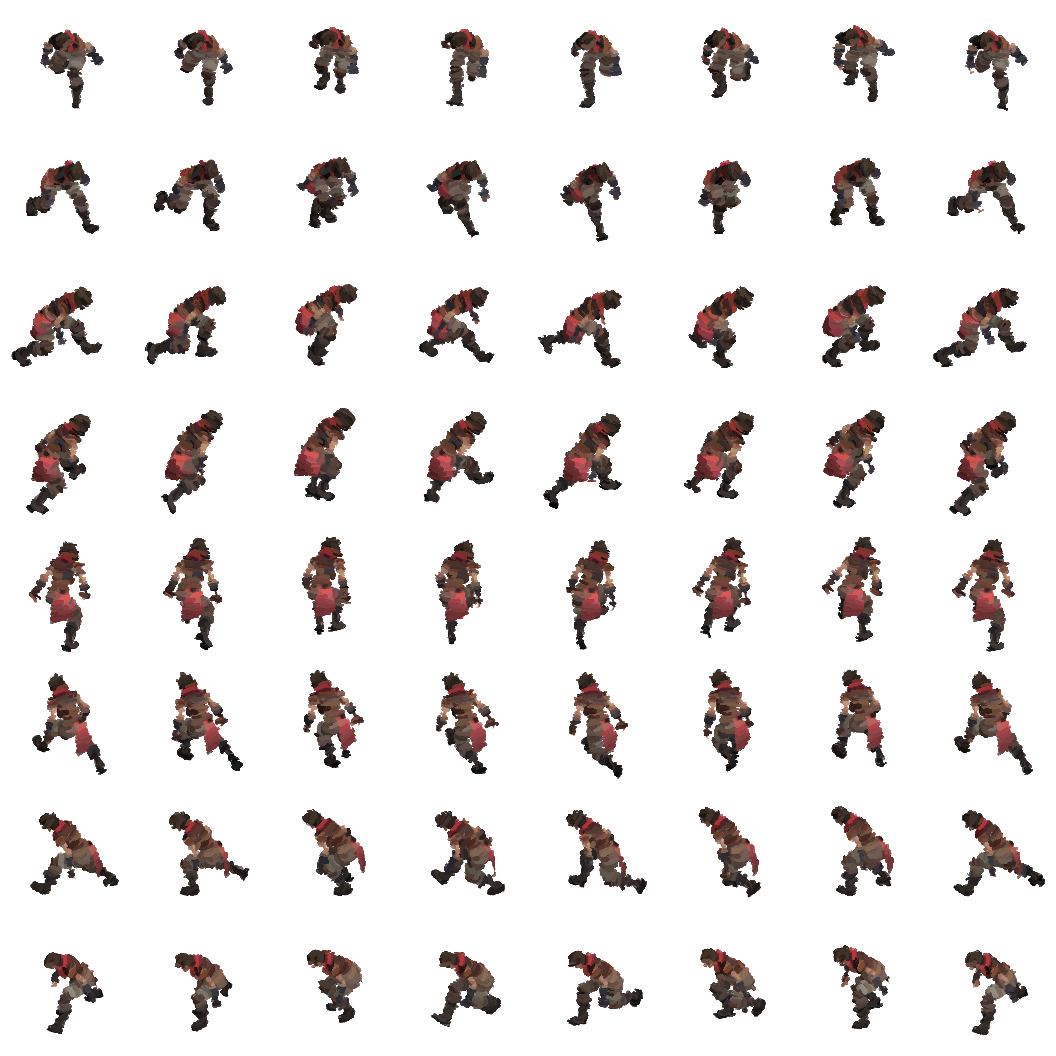
PNG exported in Brushstroke: eight frames × eight directions = 64 sprites at 128 × 128 px, with 2 px padding, on a 1056 × 1056 px sheet. Each row corresponds to a direction from 0° to 315°; columns show frames 0, 4, 8, 12, 16, 20, 24 and 28.
Crouch_Move_Loop · first sprite in the exported JSON
{
    "id": "clip-0_f0_a0",
    "animationId": "clip-0",
    "frameIndex": 0,
    "timeSeconds": 0,
    "durationSeconds": 0.13333333333333333,
    "angleDegrees": 0,
    "pivot": {
        "x": 0.5,
        "y": 0.7324728096403346
    },
    "placements": [
        {
            "sheetId": "combined-001",
            "x": 2,
            "y": 2,
            "width": 128,
            "height": 128
        }
    ]
}

The actual first sprite entry from the sheet above: frame 0, direction 0°, time, duration, pivot and sheet placement. Coordinates are pixels measured from the top-left corner. The full JSON also records all 64 sprites, the camera, Brushstroke style, lighting and bake settings.

05 · Visual stability

One framing solution for every pose and direction

Auto-fit measures vertices deformed by skinning and morphs across selected poses and directions, including root motion. A fixed reference pivot and a camera resolved for the entire plan keep a character from changing scale or shifting its footing between frames. Orthographic and perspective capture share this rule.

Front orientation, elevation, zoom and offsets belong to capture; viewport orbit, pan and zoom belong to exploration. The frame overlay, direction ring and grid help inspect the scene while staying out of the PNG. Angles are explicit, without assigning compass names to an imported orientation, and the preview flags intentional cropping.

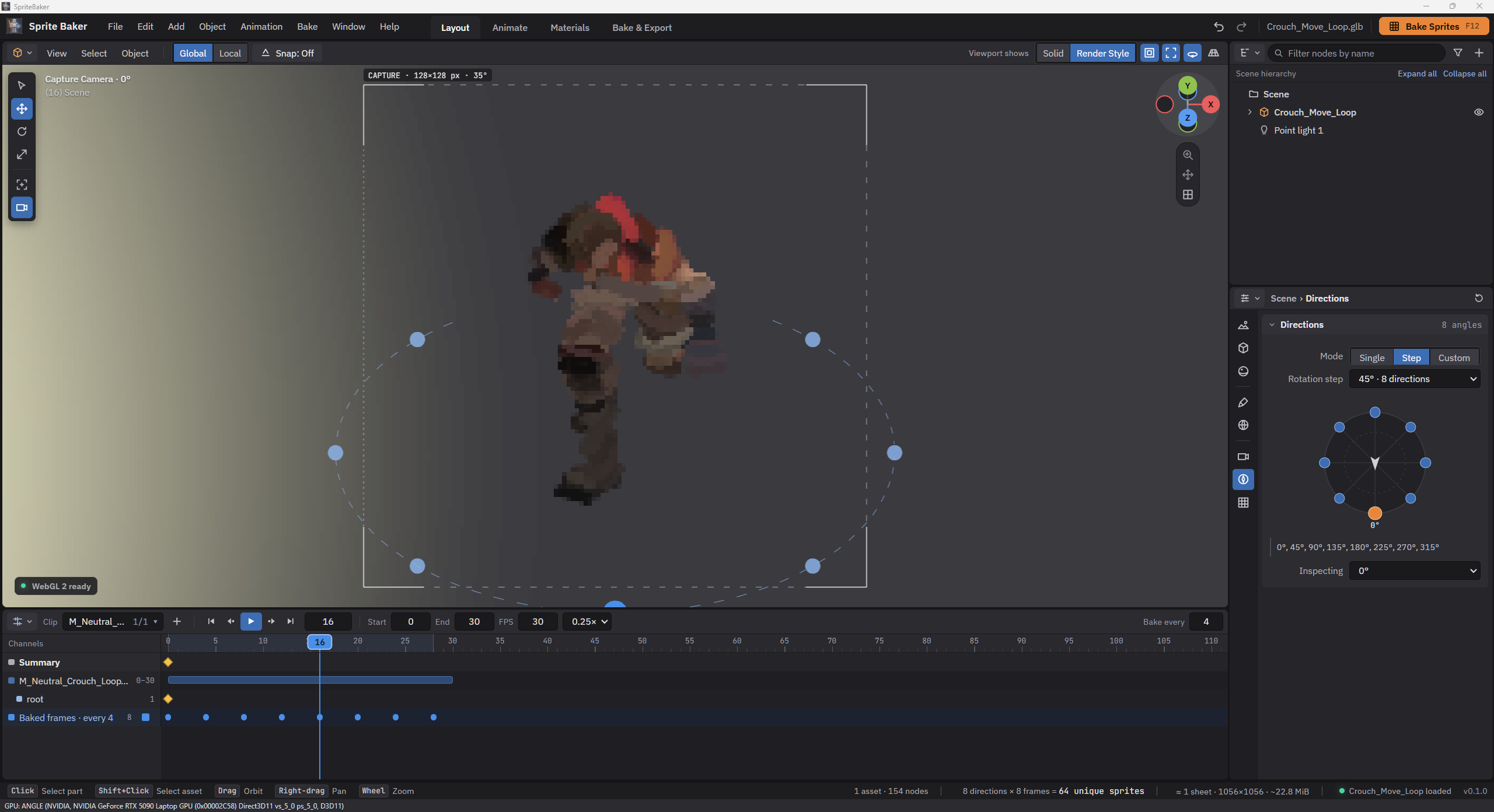
Crouch_Move_Loop character in the capture camera, with eight directions at 45° intervals, Outliner, properties and Timeline visible.

06 · Appearance strategies

Styles with explicit color and alpha contracts

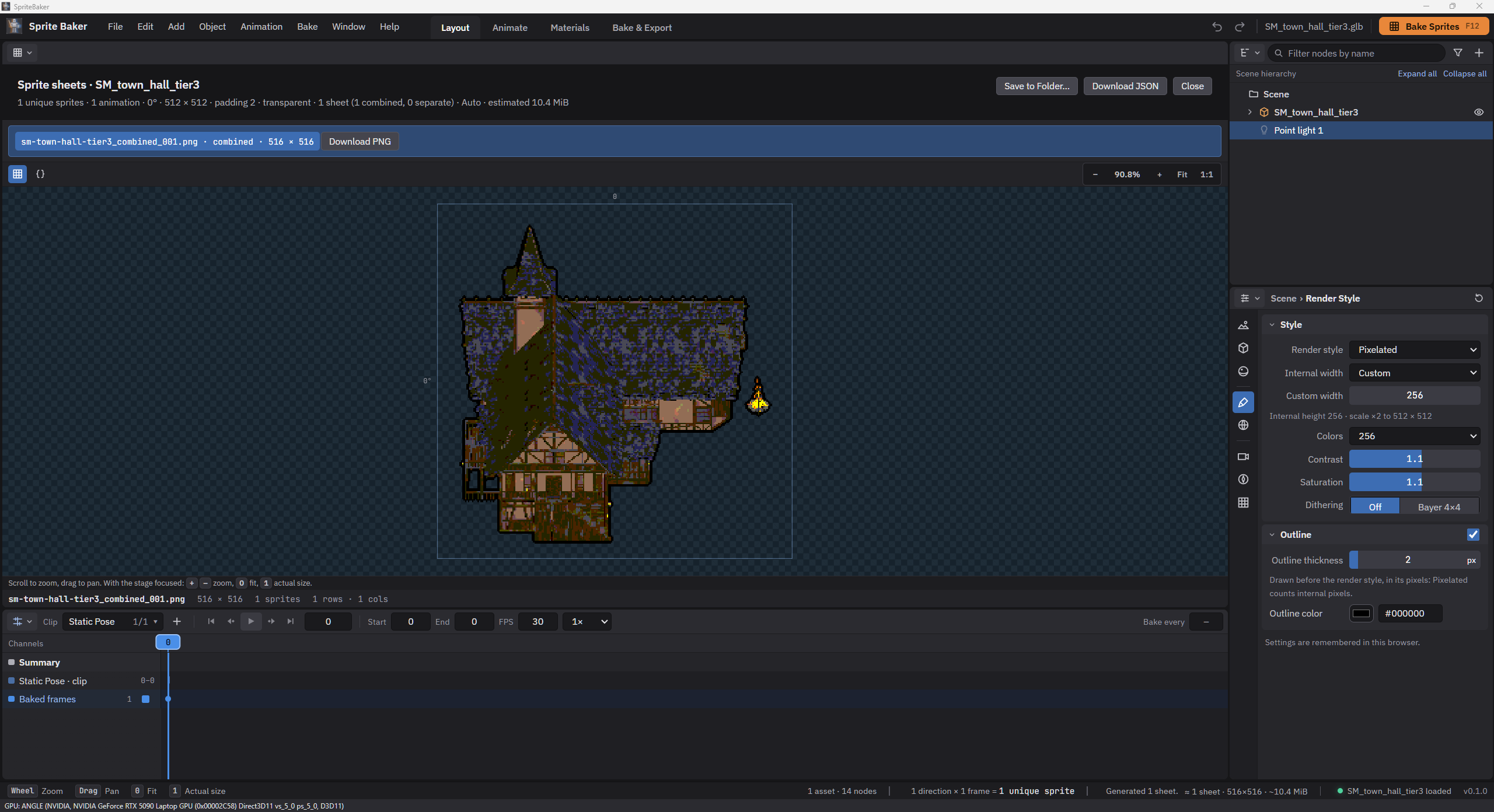
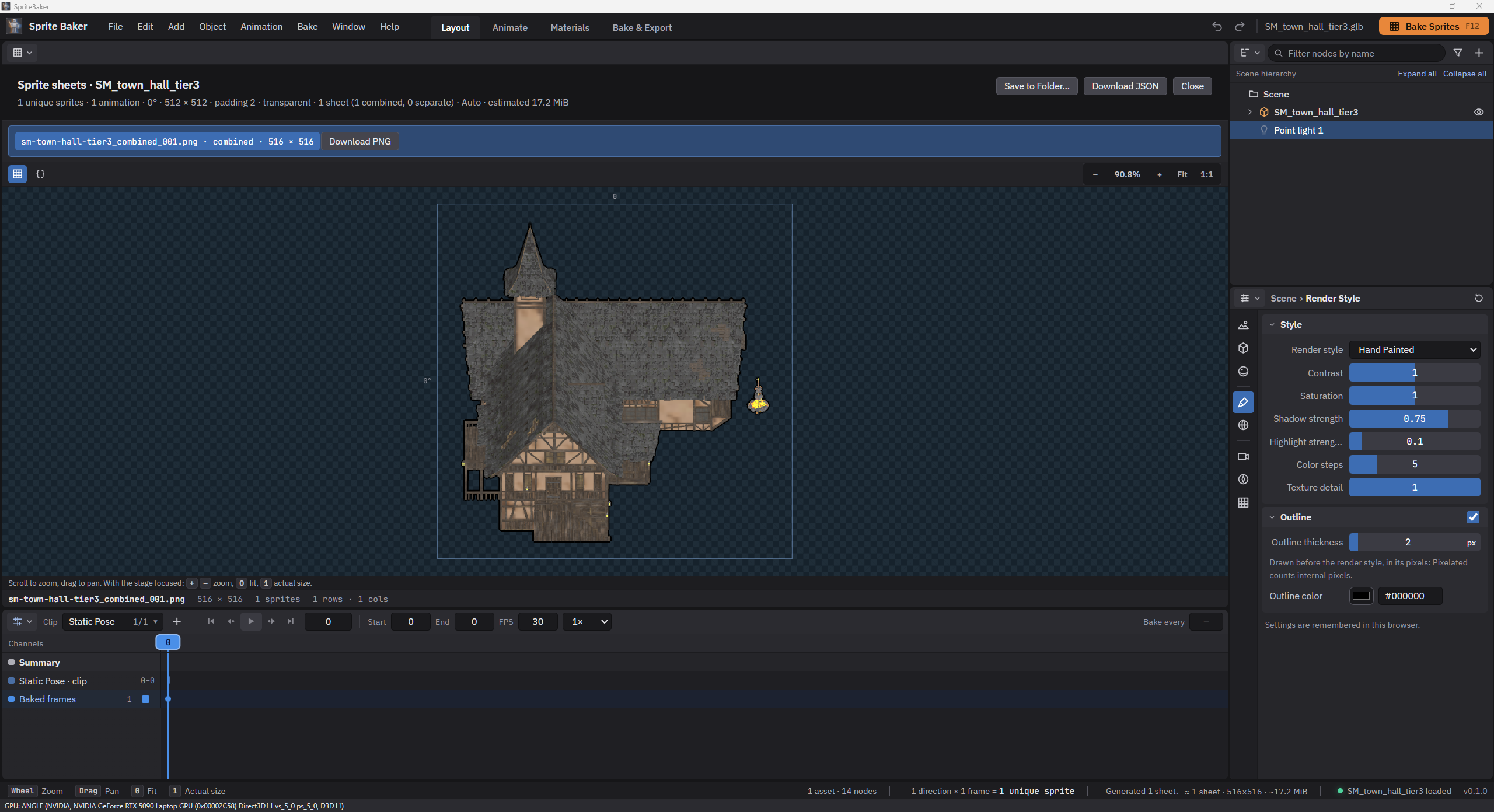
Each style declares its rendering and processing stages. Derived materials are applied temporarily and restored on completion, including failure. Pixelated uses internal resolution and integer nearest-neighbor scaling; a stable palette and Bayer pattern avoid changing quantization between frames. Hand Painted combines material, lighting and grading.

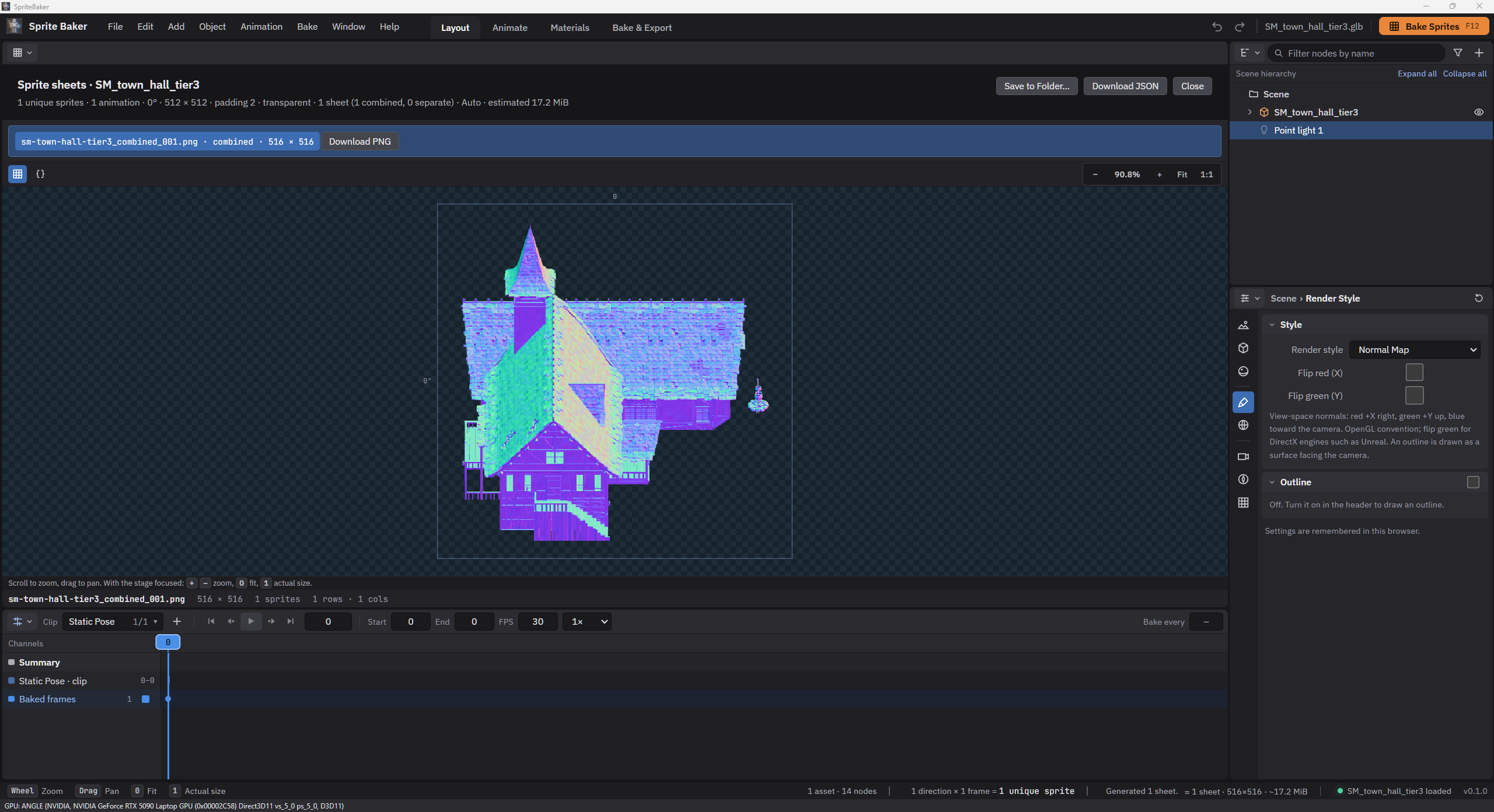
Normal Map captures linear data in camera space, with optional red and green channel inversion. Emissive isolates emission and handles non-emissive areas. The pipeline distinguishes data from sRGB color, preserves straight alpha and clears RGB under zero alpha; solid backgrounds are composited after effects.

StyleStrategy
OriginalLoader-supported materials under capture lighting
PixelatedLow resolution, grading, optional Bayer and a fixed palette
Hand PaintedBanded lighting, softened textures and highlight control
Normal MapNormals encoded as data for 2D lighting
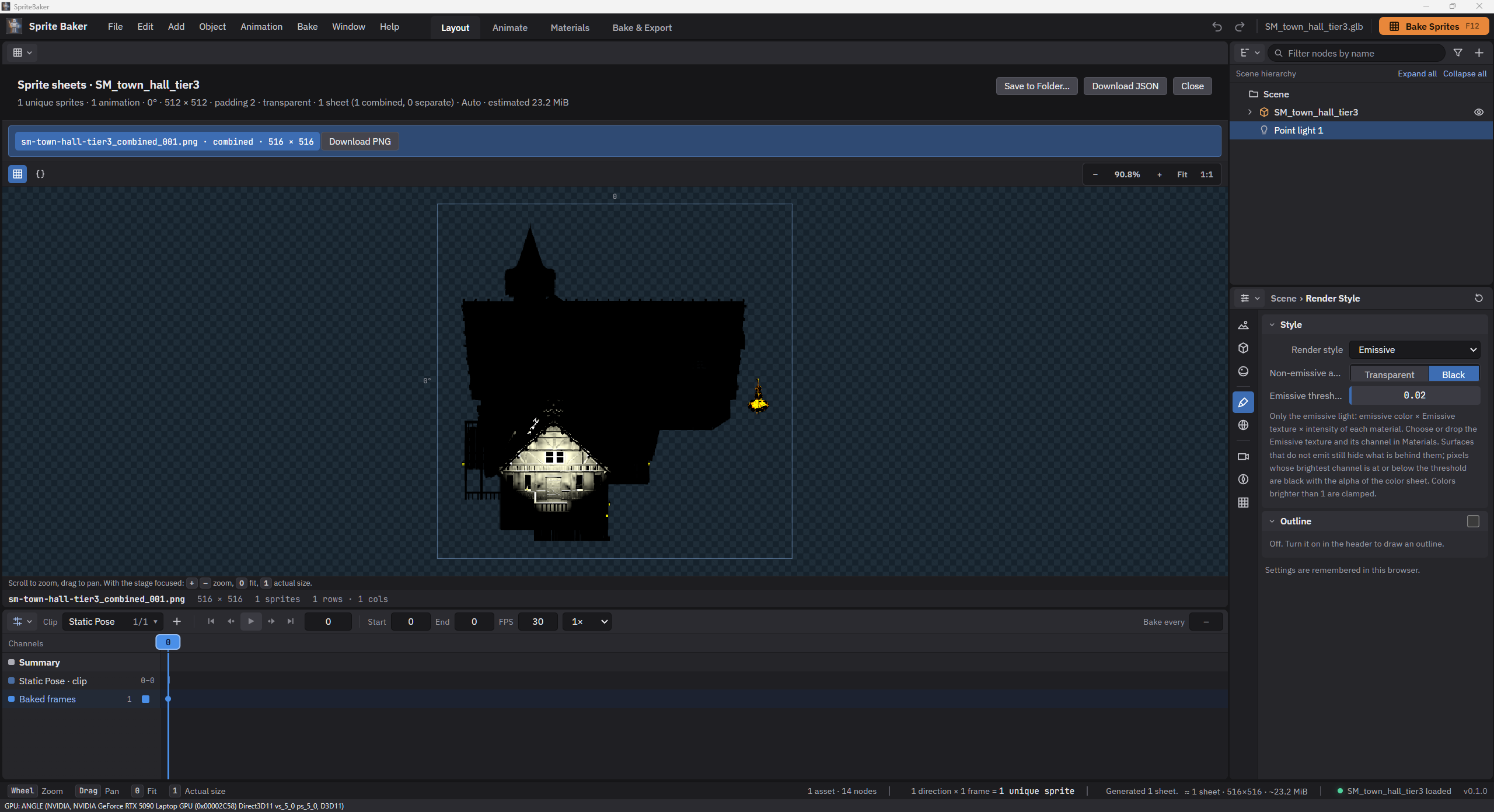
EmissiveMaterial emission with threshold masking
BrushstrokeProcedural strokes using color and flow from the form

Styles · one pose, different renders

Select a style to see its result. Each option presents a separate image of the same model and pose.

Sprite rendered in the style Original
Sprite rendered in the style Pixelated
Sprite rendered in the style Hand Painted
Sprite rendered in the style Normal Map
Sprite rendered in the style Emissive
Sprite rendered in the style Brushstroke

07 · Temporal coherence

Brushstrokes that follow the surface

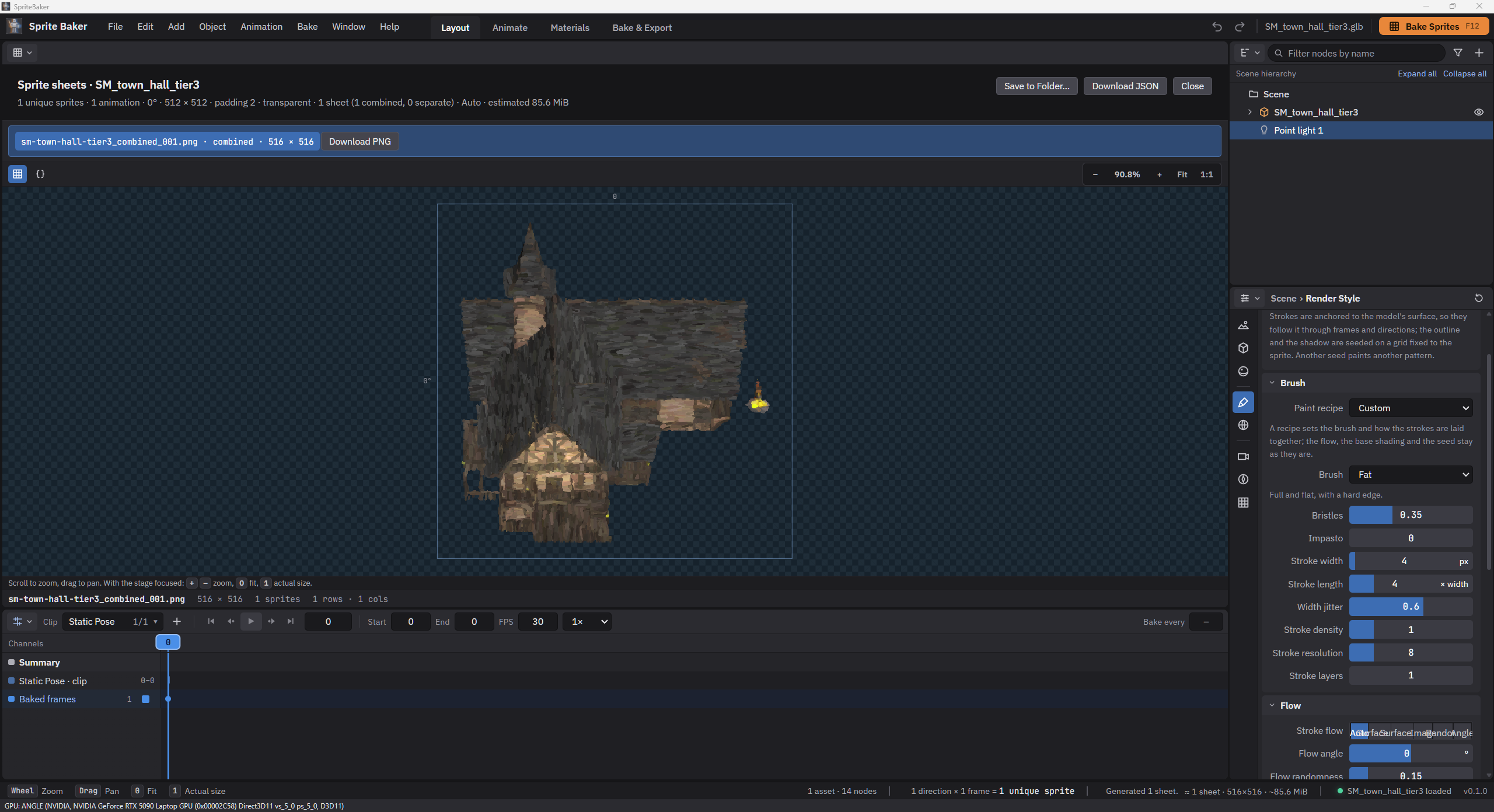
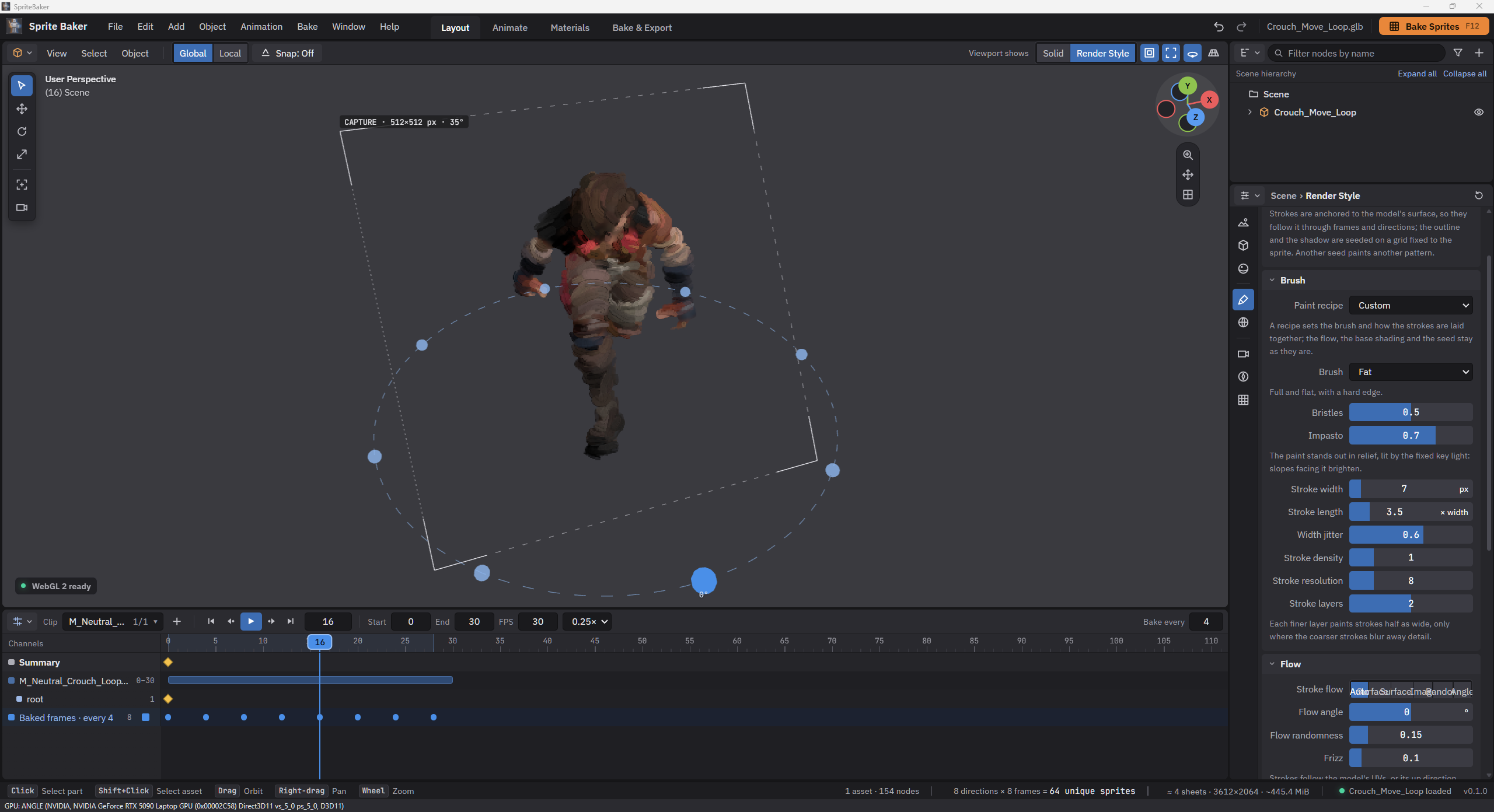
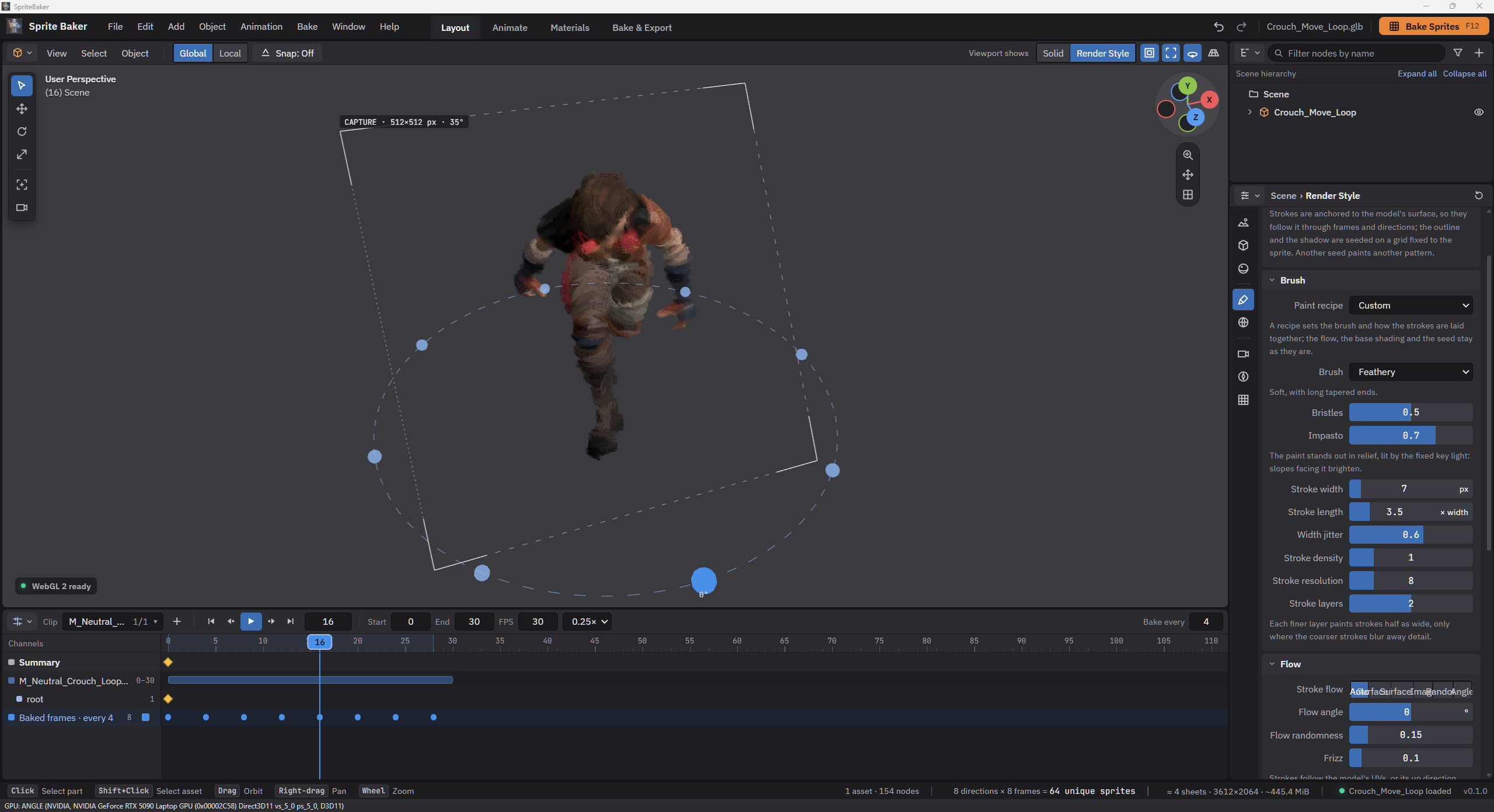
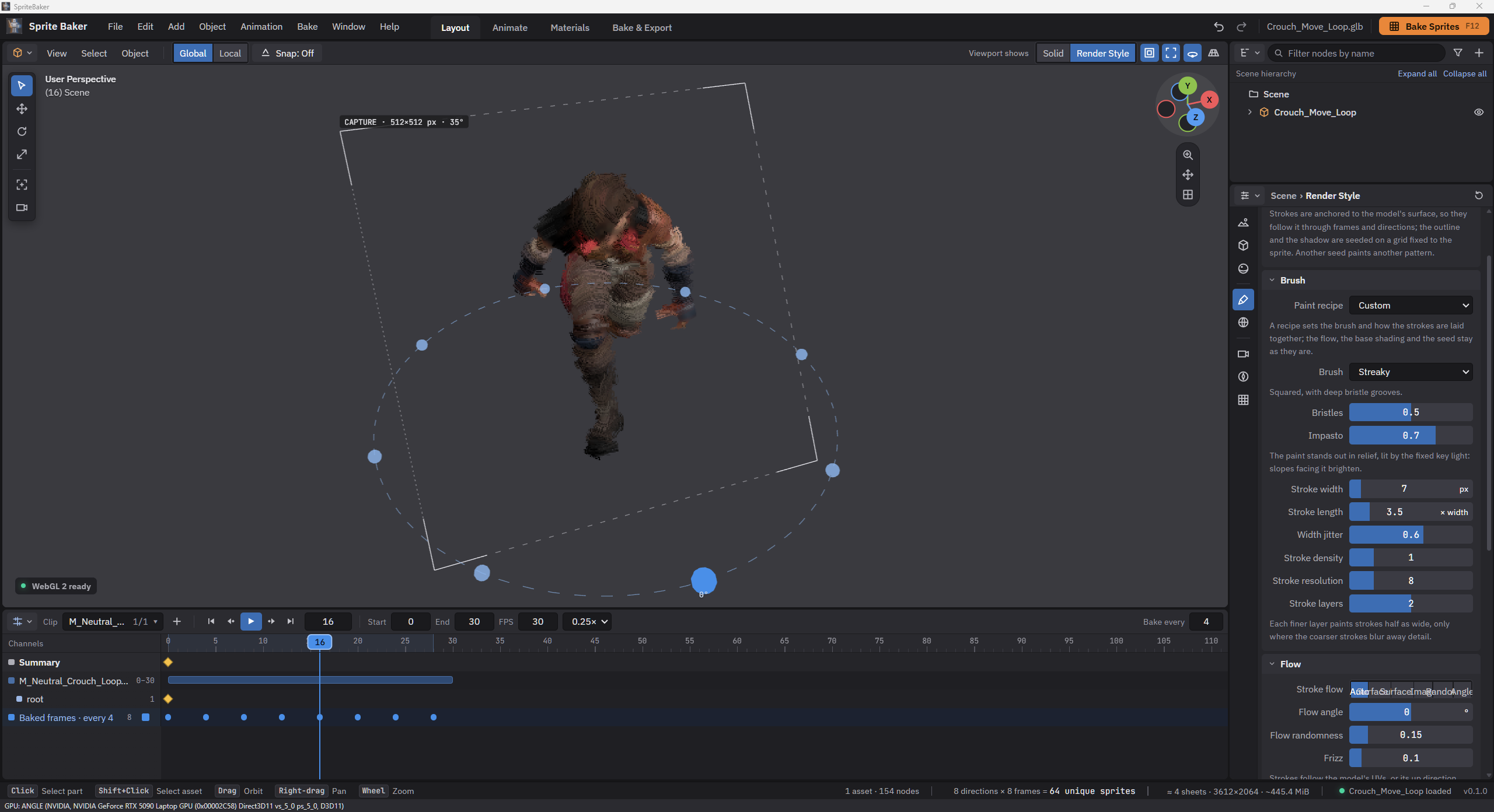
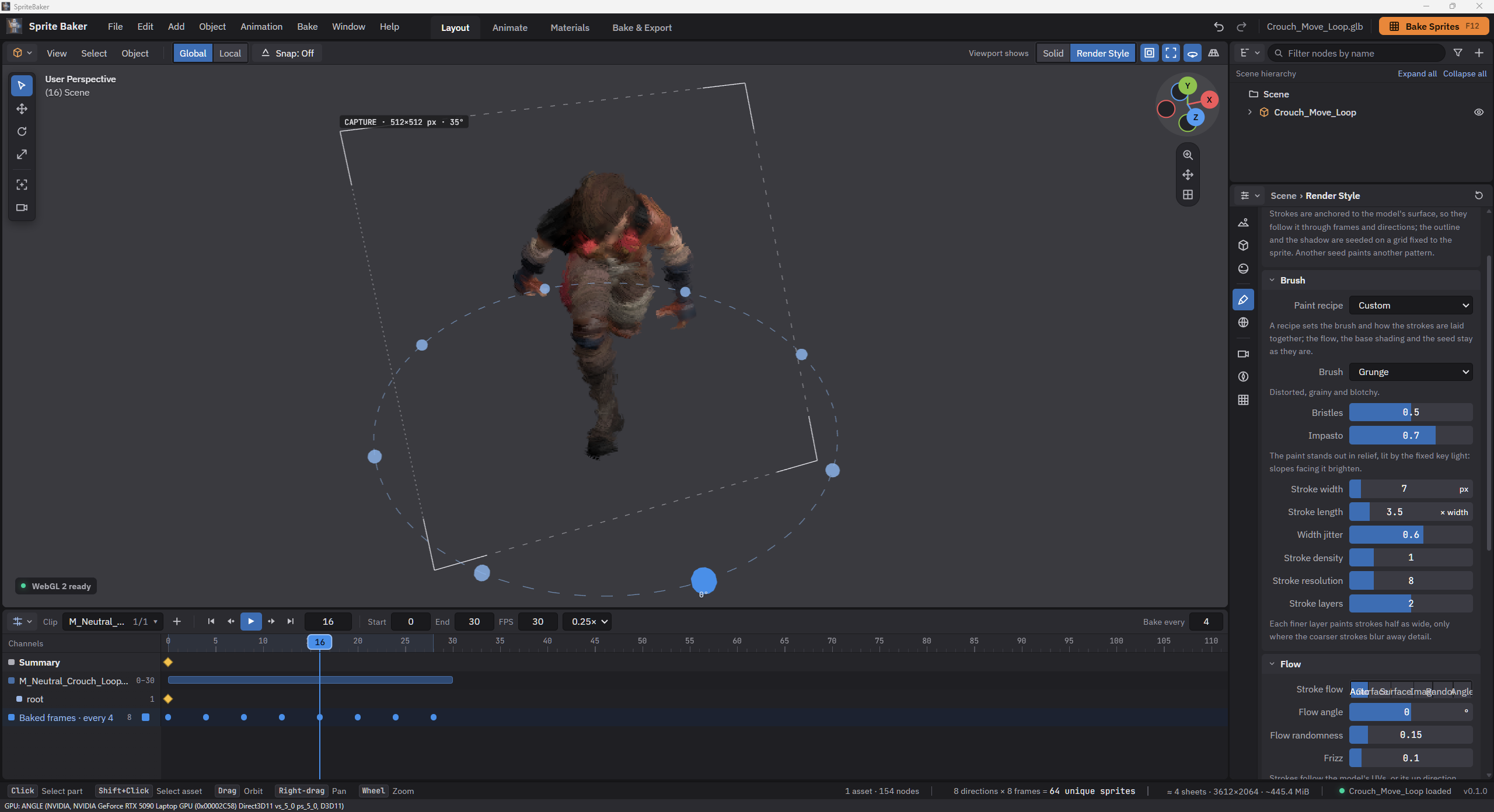
Brushstroke repaints the capture using procedural brushes, softened underpaint and deterministic seeds. For models, seeds are distributed on the rest surface and follow skinning and morphs. Flow follows the UV tangent or surface orientation, keeping paint attached to the form through animation and changes of direction.

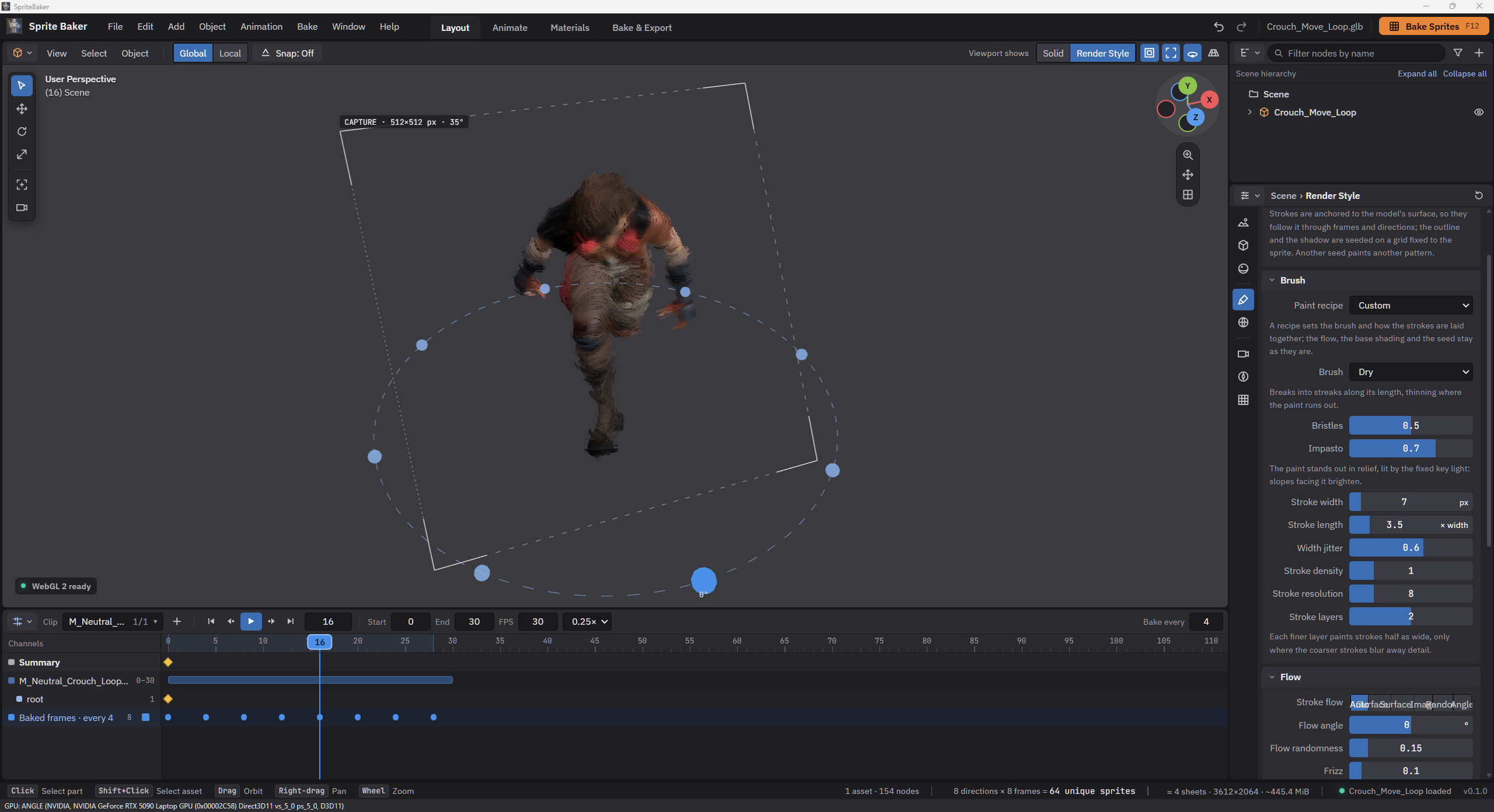
Dry, Fat, Feathery, Streaky and Grunge extend the library, with layers, impasto, light alignment and RYB color pickup. Images, outlines and shadows use image-space seeds. Viewport planning and composition run on the GPU; exported capture applies the style at the chosen sprite dimensions.

Brushstroke · surface and brushes

Select a brush to compare its Brushstroke result.

Brushstroke preview using the brush Default
Brushstroke preview using the brush Dry
Brushstroke preview using the brush Fat
Brushstroke preview using the brush Feathery
Brushstroke preview using the brush Streaky
Brushstroke preview using the brush Grunge

08 · Reversible editing

Editable materials with their source preserved

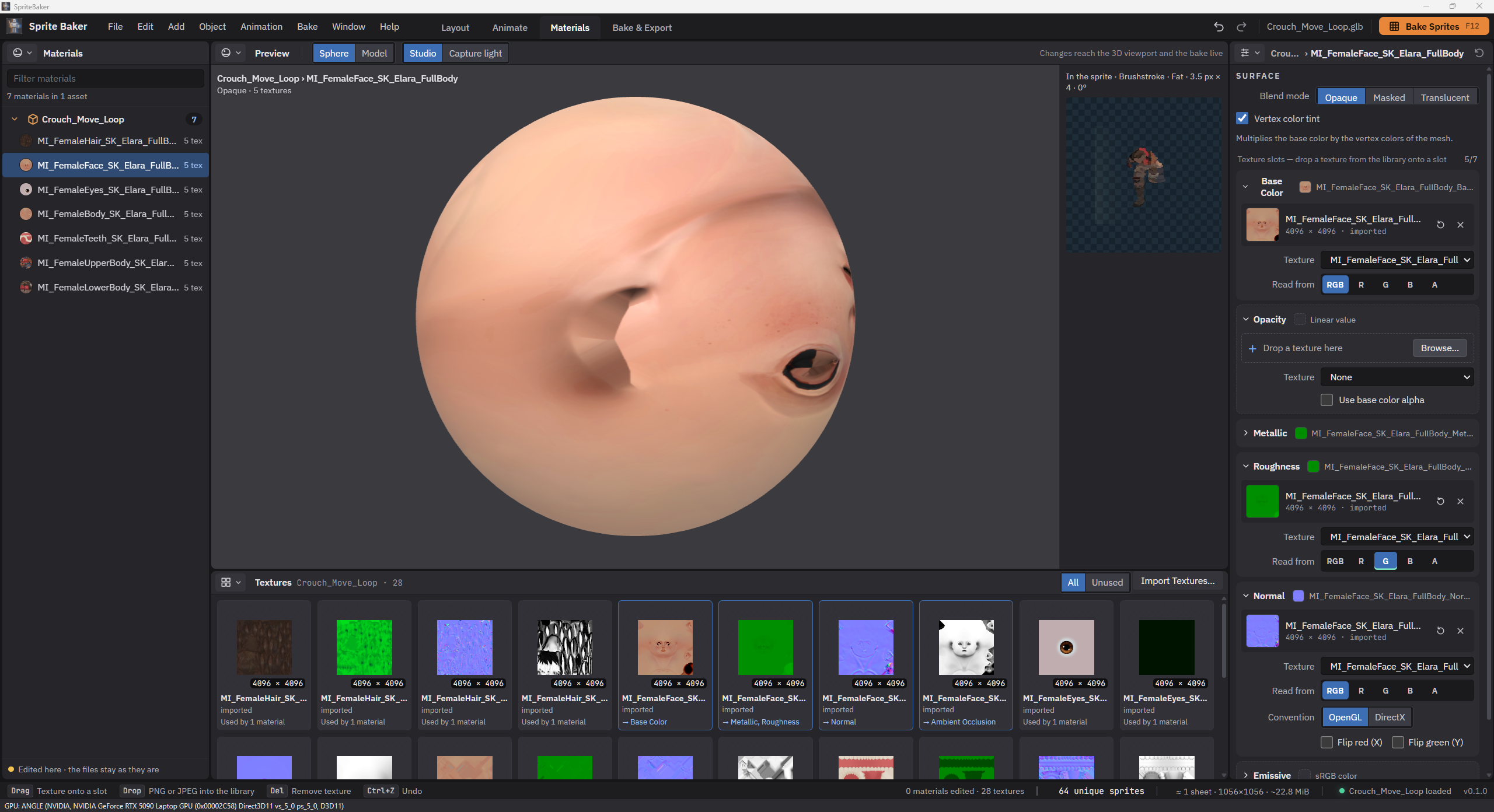
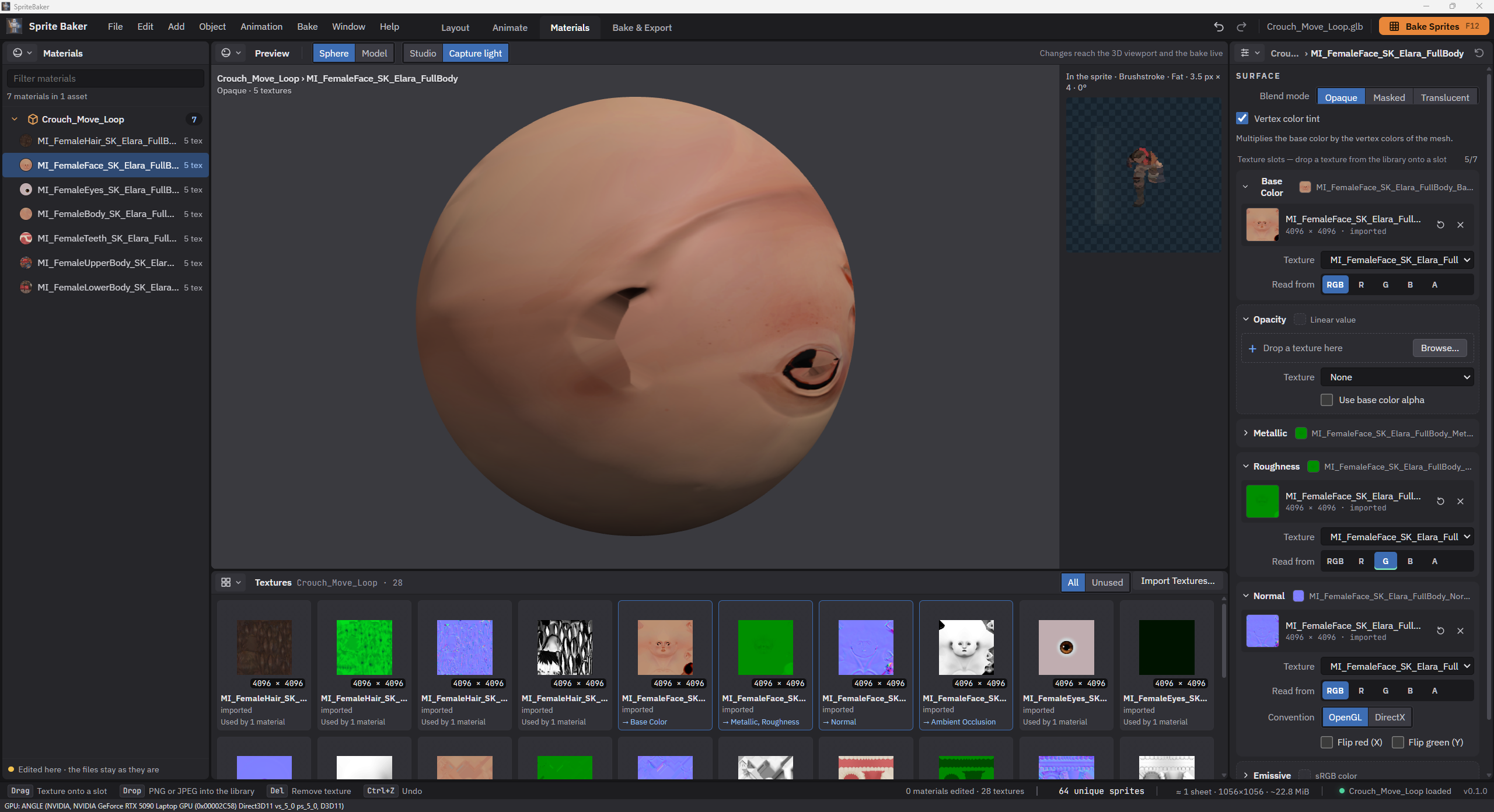
The Materials workspace supports assigning textures by slot, selecting channels in packed maps and adjusting normal conventions. Metallic and Roughness also accept numeric values without textures. Preview can show a sphere or the model under Studio or Capture lighting, alongside a thumbnail of the material in the sprite.

Edits enter scene history, invalidate earlier results and can revert to the original material. Compressed KTX2 textures receive thumbnails painted by the GPU through the material preview renderer, with a per-texture cache. This preserves orientation and data encoding without opening another WebGL context.

Character material on the preview sphere under Studio lighting, with the texture library and color, roughness and normal slots visible.
The same material with Capture light selected: the preview uses the capture lighting, while the sprite result appears alongside.

09 · Art direction

Scene lighting with control over stylization

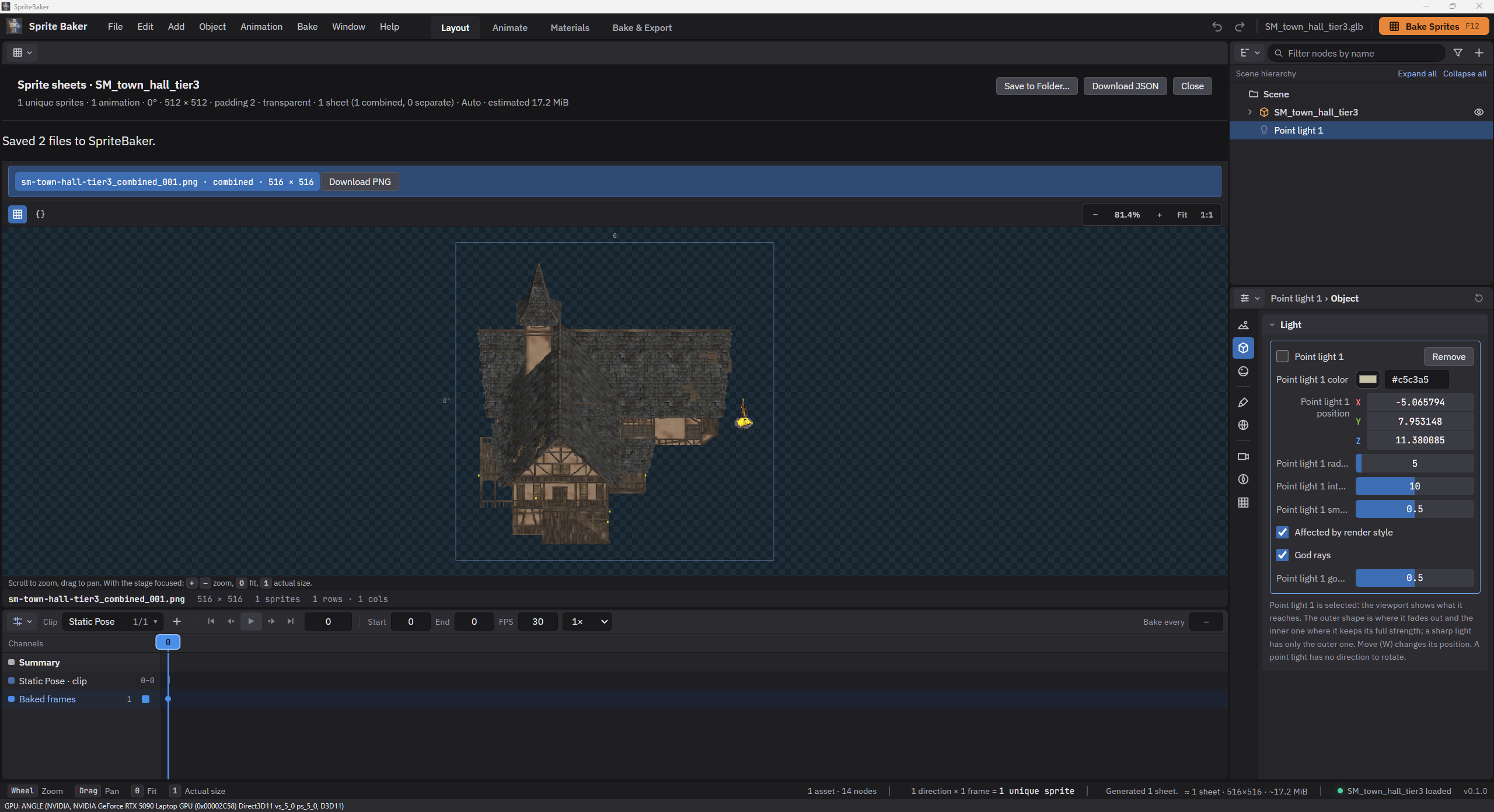
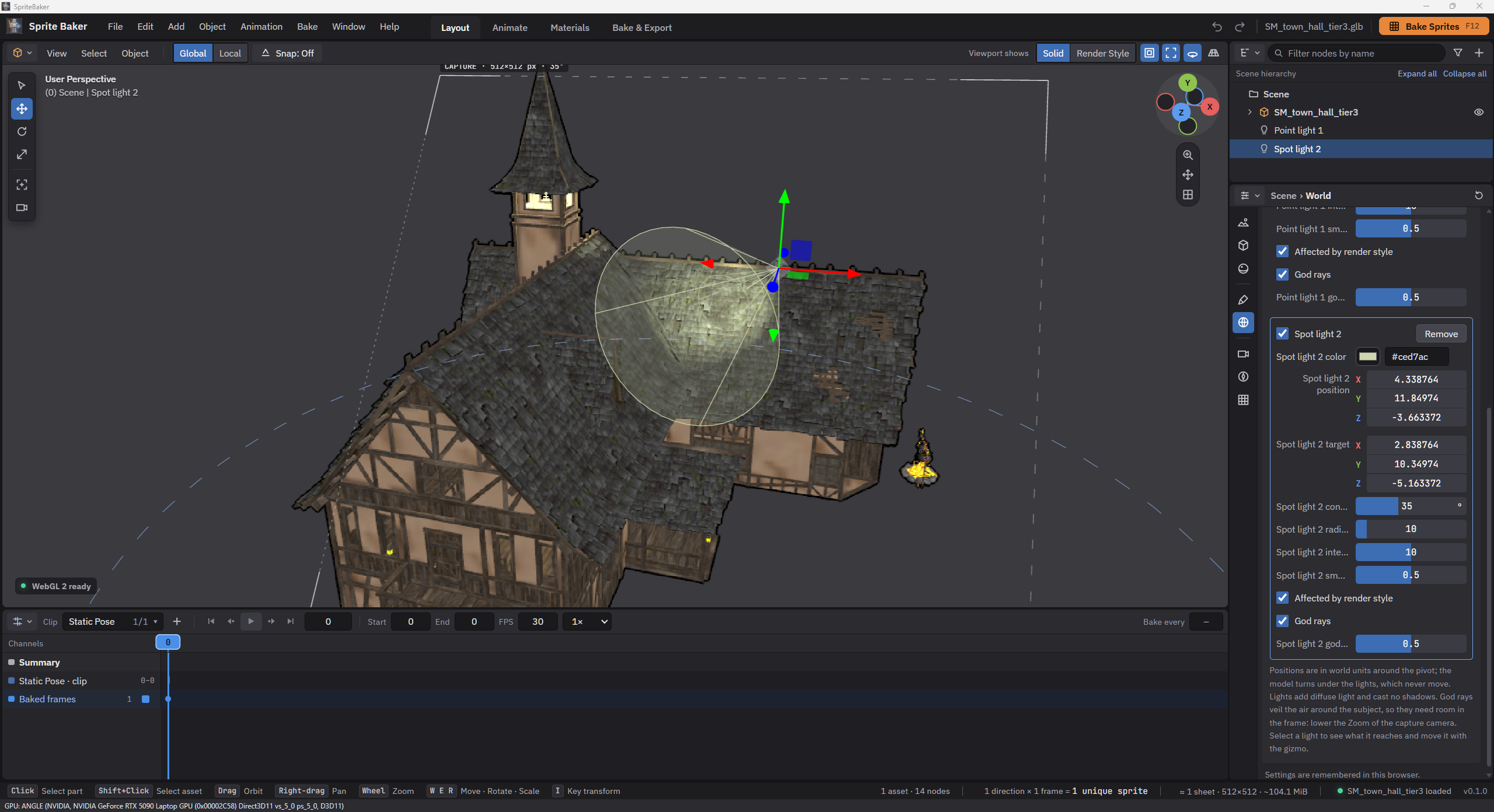
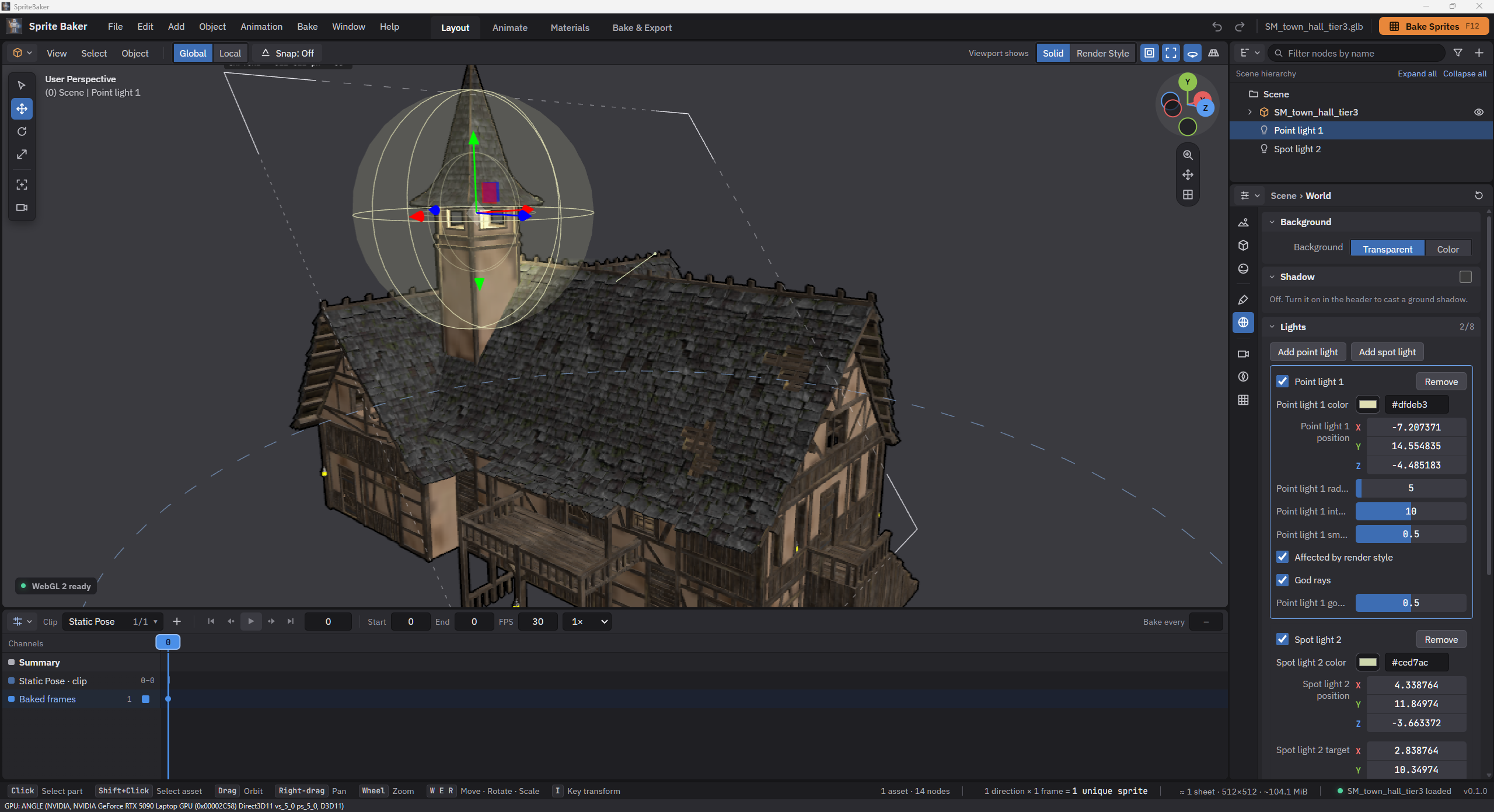
Up to eight point or spot lights supplement capture lighting. Color, intensity, radius, smoothness and cone are adjustable, with gizmos and debug volumes in the viewport. Affected by render style determines whether the contribution is quantized or repainted with the subject, or added after styling.

God rays use silhouette coverage to create screen-space beams; they need room in the framing and do not provide depth-based volumetrics. Ground shadows are an independent layer, either inside sprites or on separate sheets. Light markers and debug volumes remain confined to the viewport.

Lights · gizmo, reach and result

Select a light type to see its gizmo and range.

Light gizmo and range for Spotlight
Light gizmo and range for Point light

10 · Interaction and cost

Avoid unnecessary work and synchronization

Viewport style passes run on the GPU, including Brushstroke, avoiding pixel transfers to the CPU on every frame. Targets are reused, and shader warm-up costs are handled separately. Derived materials compare their effective state to avoid rebuilding because only the internal version of a shared material changed.

Sprite Preview uses the capture path but coalesces bursts of edits: one capture in progress and a final request with the latest settings. The bake scheduler yields between batches of preparation, sprites and pages. These strategies reduce blocking while keeping interactive inspection and final delivery clearly defined.

11 · Memory and I/O

Read the asset's data in ranges

The Windows host exposes native I/O through DesktopHost; renderer and core continue to use file contracts. For GLB, the header and JSON are read first, and each bufferView arrives through a range read. glTF uses the same path for local buffers. On desktop, MemoryMappedFile delivers these ranges through read-only SharedBuffers.

Concurrency limits both reads and bytes in flight. The bridge validates version, origin, request and size, supplies opaque IDs and releases buffers on every path. Geometry arrays and textures needed for bounds, capture and context recovery remain on the CPU. Range reads reduce intermediates; they do not remove the GPU cost of a large scene.

12 · Local copies

GPU optimization with integrity and a managed cache

Optimize for GPU creates a GLB/glTF copy using gltfpack pinned by version and hash: meshopt geometry and KTX2 textures, with UASTC or ETC1S for base color. The original is preserved. Cache keys include content, tool, recipe and parameters, while a sidecar verifies the copy's size and SHA-256 before reuse.

The cache has a configurable limit, 10 GiB by default, eviction by oldest use and leases protecting copies in use. Decoders ship in the bundle. The per-user installer preserves preferences and cache during updates and asks whether to remove data during uninstall. Optimization has its own memory cost and does not guarantee a lower renderer peak.

13 · Workflow continuity

Generate while preserving previous work

Import and generation have separate states. A failed asset replacement keeps the previous asset available; when several imports are requested, only the latest can become active in the scene. During baking, the plan is frozen and scene edits wait for completion, with cancellation available.

Cancelling or interrupting generation discards partial outputs and preserves the last complete result. Camera, material or setting changes indicate that the sheet needs another bake. WebGL context problems allow the renderer to restart and work to resume, with messages identifying what needs attention.

14 · Product extension

A service foundation independent of baking

The ASP.NET Core and PostgreSQL API provides a foundation for future services. It exposes application information and health checks, distinguishes a live process from a reachable database and returns failures as Problem Details.

The editor and desktop application do not depend on this API to import, render or export. Assets stay local, while small preferences and custom presets are versioned separately. Scene persistence, asset libraries, accounts and cloud storage require specific contracts and deliveries before becoming part of the product.

Next steps

What is established and what we want to improve

The established foundation includes four workspaces, model composition, keys per part, editable materials, six styles, lights, asset sheets, PNG/JSON/ZIP export and Unity RTS presets. Windows adds native dialogs, range reads, optimized copies and managed caching. Each capability preserves capture contracts and source files.

Planned improvements include persistent projects and recipes, asset libraries, retargeting, OBJ, more advanced packing and engine-specific exporters. The goal is to recover production settings, reuse assets and expand integration while preserving predictable timing, cameras and metadata.

Further improvements include reducing synchronous capture work, improving memory use in large scenes and extending compatibility. WebGPU is an option for concrete compute needs. These directions are planned; storage services and complete project restoration still require their own implementation.

Contact

Québec City, QC, Canada / Available for opportunities

I'm open to opportunities in software development, tools programming and gameplay programming, as well as junior 3D artist roles. If my experience could be a good fit for your team, I'd be happy to connect through my social profiles.